Quotes & B2B
How to Manage Shopify B2B Orders Without Shopify Plus
Wholesale on Shopify is rarely “add to cart and done.” Buyers ask for case packs, project pricing, purchase orders, and a human yes before anyone pays. Many merchants assume that entire order desk only exists on Shopify Plus.
You can run a serious B2B order workflow on a standard Shopify plan. The key is separating three jobs: how buyers request pricing, how you agree the deal, and how Shopify collects payment. If you already compared plans in Shopify B2B wholesale without Plus, use this piece as the day-to-day order desk playbook: RFQ → revise → accept → Shopify draft invoice → pay. It focuses on operating Shopify B2B orders without Plus for quote-led deals—not on rehashing the full plan matrix.
Why merchants think they need Shopify Plus for wholesale ordering
Plus marketing (and older Shopify B2B history) trained the market to equate “wholesale” with “Plus.” Teams still hear:
- “We need company accounts and catalogs—that’s Plus.”
- “We need net terms and invoices—that’s Plus.”
- “We need negotiated pricing—apps can’t do that without Plus.”
Some of that was true years ago. Today, native Shopify B2B is available on Basic, Grow, Advanced, and Plus (not Starter or Retail). Those plans share companies, company locations, catalogs, quantity rules / volume pricing, net terms, PO numbers, and draft-order invoices. On Basic, Grow, and Advanced you can have up to three active catalog assignments across active B2B markets. Plus still unlocks unlimited catalog assignments, direct catalogs on companies or locations, and advanced deposit / partial-payment / payment-request-per-fulfillment tools. Contextual storefront and checkout via Markets are available on Advanced and Plus. For Shopify’s official plan matrix, see Shopify B2B features by plan.
Separately, many “orders” are not catalog checkouts at all—they start as an RFQ. For those deals, a quote app plus Shopify draft orders can carry the workflow without a Plus upgrade. Souvely Quotes & B2B is built for that path; it does not replace every native Plus B2B feature.
Native Shopify B2B features vs third-party B2B apps
Think in layers:
| Layer | Native Shopify B2B (Basic / Grow / Advanced / Plus) | Quote / RFQ apps (e.g. Souvely) |
|---|---|---|
| Who the buyer is | Companies and company locations | Request form fields (company, PO, tax ID, notes) |
| What they pay | Catalogs, quantity rules, price breaks | Merchant-revised quote lines and totals |
| How they buy fixed-price goods | Logged-in B2B checkout | Optional; not Souvely’s primary path |
| How they buy custom / negotiated deals | Limited if price isn’t in a catalog | RFQ → quote → accept → draft order |
| Who collects money | Shopify Checkout / invoices | Shopify Checkout after draft conversion |
Native B2B shines when approved companies can browse the right catalog and place repeat orders. Third-party quote apps shine when each deal needs review, a PDF, optional negotiation, and an accept step before checkout. Many growing wholesalers use both: catalogs for standards, quotes for exceptions.
Souvely complements native Shopify B2B. It does not replace companies, catalogs, Markets, or Checkout.
How to receive wholesale quote requests without Plus
On a standard plan with Souvely Quotes & B2B:
- Install the app and enable the Quote theme app embed (add a product block if placement must be exact).
- Set eligibility—which products or collections can be quoted, plus optional minimum quantity and rule conditions.
- Configure the request form. Name and email are required. Company, phone, purchase order, tax ID, and notes can be optional or required. Shipping/billing addresses and file attachments can be enabled as needed.
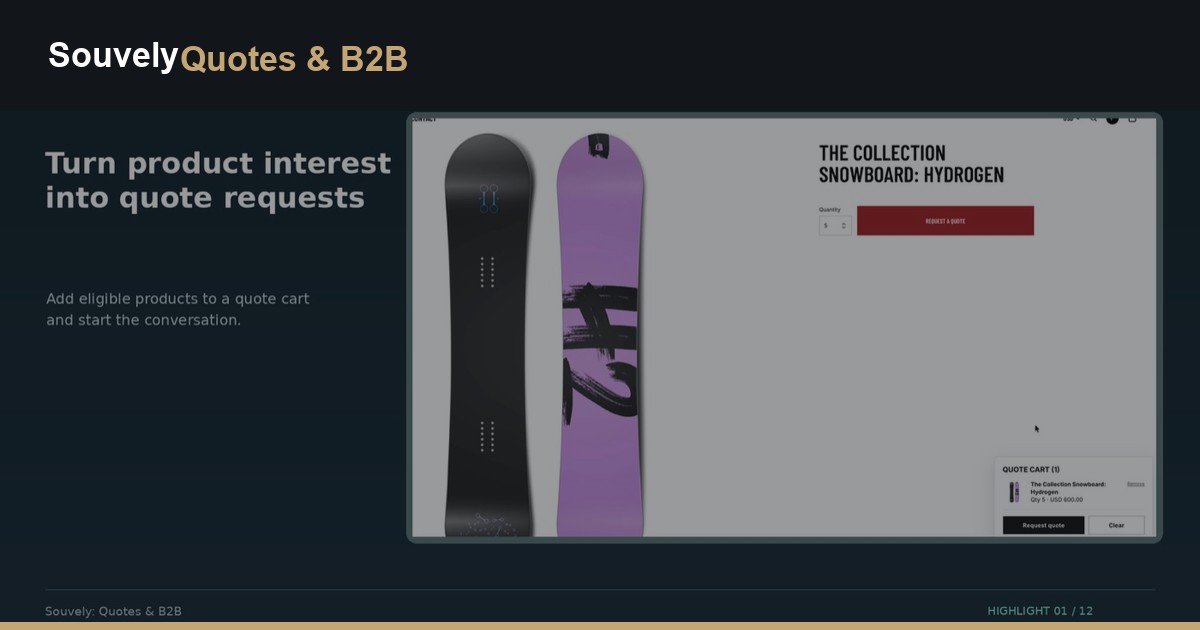
- Buyers add eligible products to a multi-product quote cart and submit.
You receive a structured request instead of a scattered email. No Plus requirement for that intake path—theme embeds and standard Admin APIs are enough.
Starter covers the quote cart, basic eligibility, custom fields, PDFs, portal, emails, and draft-order conversion. Unlimited (and the complimentary full-access window on new installs) adds negotiation, advanced rules, multilingual experience, deposits/payment terms recorded on the quote, and advanced analytics.
How negotiated pricing and quote approvals work
A healthy quote desk keeps commercial history on one object:
- Review the request in admin (quantities, notes, attachments).
- Revise lines and pricing; save versions as you iterate internally.
- Send a branded PDF / email so the buyer sees a clear offer.
- Buyer response in the quote-scoped customer portal: accept or decline on Starter; on Unlimited / complimentary access, buyers can also counteroffer.
- Merchant decision on a counter: accept the counter (new aligned version) or send a revised offer.
- Only after acceptance do you move to payment setup.
Watch expiration: expired quotes block accept, reject, and negotiation—extend when the deal is still live.
Important: accepting a quote or counteroffer is not payment. It is agreement on commercial terms. Charging happens later in Shopify.
How draft orders and invoices support wholesale purchasing
Souvely’s handoff is deliberate:
| Object | Role |
|---|---|
| Quote | Offer, versions, PDF, portal accept / negotiate |
| Shopify draft order | Created from an accepted quote so the buyer can pay |
| Paid order | Exists after the buyer completes Shopify invoice / Checkout |
After acceptance, choose Convert to Shopify draft order. Shopify creates the draft; when email is configured, buyers can receive a payment-ready notice with the invoice URL. They pay in Shopify Checkout. Quote status moves to converted when that path completes.
What conversion does not do:
- Mark the sale paid by itself
- Auto-charge a card through Souvely
- Automatically shrink the Shopify invoice to a deposit-only amount
On Unlimited / complimentary access you can record full payment, deposit, net, or custom terms on the quote as commercial language. Collection still follows your Shopify payment workflow after convert. Advanced native Shopify deposit and partial-payment tools remain Plus-oriented—Souvely does not unlock those by itself.
How Souvely Quotes & B2B helps manage the order desk
For quote-led wholesale, Souvely Quotes & B2B covers:
- RFQ intake — multi-product quote cart from the storefront
- Eligibility rules — control what can be quoted
- Merchant workspace — review, revise, version, send PDF, email
- Customer portal — quote-scoped link; no Shopify admin access for buyers
- Approvals — accept / decline; counteroffers on Unlimited / complimentary access
- Draft-order conversion — payment stays in Shopify Checkout
- Optional quote terms — deposits / net / custom language on Unlimited
Staff permissions and discount approval rules are listed as coming soon (Winter 2026–27); integrations/API are later. Do not plan go-live processes on unreleased features.
When upgrading to Shopify Plus actually makes sense
Evaluate Plus when order volume and account structure outgrow standard B2B limits—for example:
- You need unlimited active catalog assignments across B2B markets
- You need catalogs assigned directly to specific companies or locations
- You need native deposit requirements, partial payments, or payment requests per fulfillment
- Other Plus-scale platform needs dominate (not just “we send quotes”)
If your pain is messy RFQs and email negotiation, Plus alone will not invent a quote desk. If your pain is catalog sprawl and advanced payment collection for logged-in companies, Plus may be the right Shopify layer—and you can still keep Souvely beside it for custom quotes.
Practical examples for small and growing wholesale businesses
Specialty foods on Grow (illustrative)
Cafés reorder standard case packs through native B2B catalogs. For catering trays and mixed SKUs, they submit a Souvely quote. Sales revises, the buyer accepts in the portal, ops converts to a draft order, and the café pays the Shopify invoice. The brand does not move to Plus only to open that path.
Apparel wholesaler on Advanced (illustrative)
Seasonal basics stay on catalog pricing for approved companies. Print-on-demand team kits go through Souvely with required PO and artwork upload. Negotiation happens on Unlimited for large team orders; conversion still ends in Shopify Checkout.
Industrial supplies on Basic (illustrative)
Most buyers are not ready for company accounts yet. The merchant starts with Souvely RFQs only—structured requests, PDFs, accept, draft invoices—then introduces native B2B companies later for repeat catalog customers.
A simple operating checklist
- Decide which SKUs are catalog checkout vs quote-required.
- Turn on the storefront quote embed and test a full request.
- Require the intake fields your warehouse/accounting actually needs.
- SLA the desk: review → send → follow up before expiry.
- Convert accepted quotes promptly; never tell buyers “you’re charged” on Accept.
- Revisit Plus only when catalog/payment limits—not quote chaos—are the bottleneck.
FAQ
Can I manage Shopify B2B orders without Plus?
Yes, for many workflows. Native B2B on Basic, Grow, or Advanced covers companies and catalogs (including the three active B2B market-catalog assignment limit). Quote-led deals can run through Souvely RFQ → accept → Shopify draft order → invoice/Checkout without Plus.
Does Souvely replace Shopify Plus B2B?
No. Souvely does not replace companies, catalogs, Markets, Checkout, or Plus-only deposit/partial-payment tools. It adds a request-for-quote and quote-management layer.
Is converting a quote the same as creating a paid order?
No. Conversion creates a Shopify draft order. The buyer still pays through Shopify’s invoice or Checkout.
Do I need Unlimited to take wholesale orders?
Starter supports request → quote → portal accept/decline → draft-order conversion. Unlimited adds negotiation/counteroffers, advanced rules, multilingual experience, deposits/payment terms on the quote, and advanced analytics.
Where can I compare Plus vs non-Plus wholesale setups?
See How to Run Shopify B2B Wholesale Without Shopify Plus for the plan and architecture comparison. This article focuses on day-to-day order management via quotes and draft orders.
Conclusion
Shopify B2B orders without Plus are manageable when you match the tool to the deal: native catalogs for fixed wholesale pricing, and a quote desk for everything that needs a human pass. Souvely Quotes & B2B handles RFQs, revisions, approvals, optional negotiation, and draft-order handoff—while Shopify remains the system of record for payment.
Ready to structure wholesale quote orders on your current plan? Explore Souvely Quotes & B2B.